Case studies

Three projects, with their decisions, constraints, and evidence.

Verified public work presented with current status, challenges, and limitations—not invented metrics or outcomes.

01

Adnan Naous OS Website

A bilingual Next.js portfolio with a Personal OS dashboard, focus timer, command center, bookmarks, and GitHub activity view.

Present verified public work and a practical Personal OS inside one maintainable bilingual product.
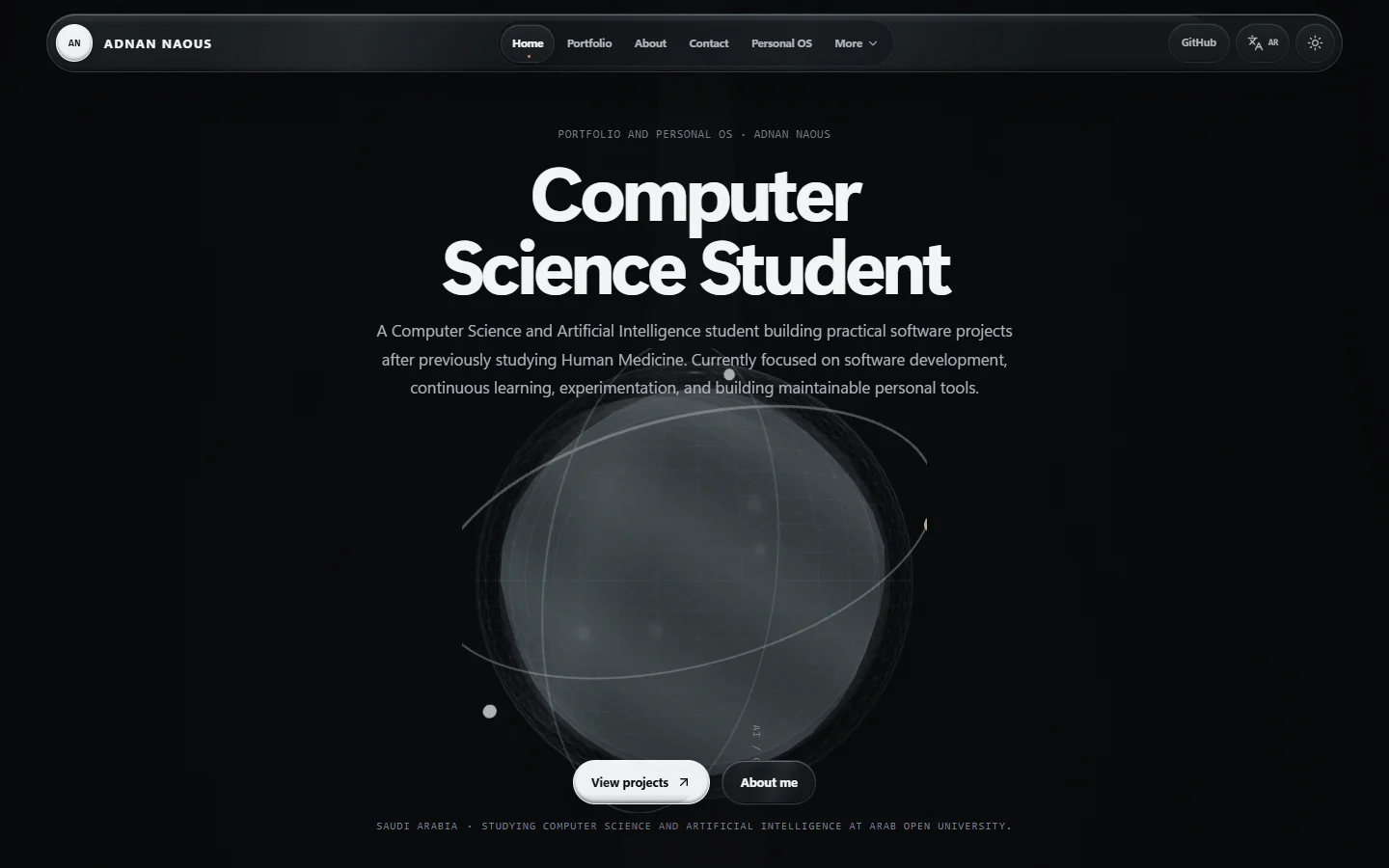
Current desktop homepage showing the production navigation, Computer Science Student identity, and optical AI Core.

Problem

Portfolio information and personal productivity tools were separated across different surfaces.

Current solution

A unified Next.js website combining a portfolio, verified public content, and route-isolated productivity tools.

Architecture

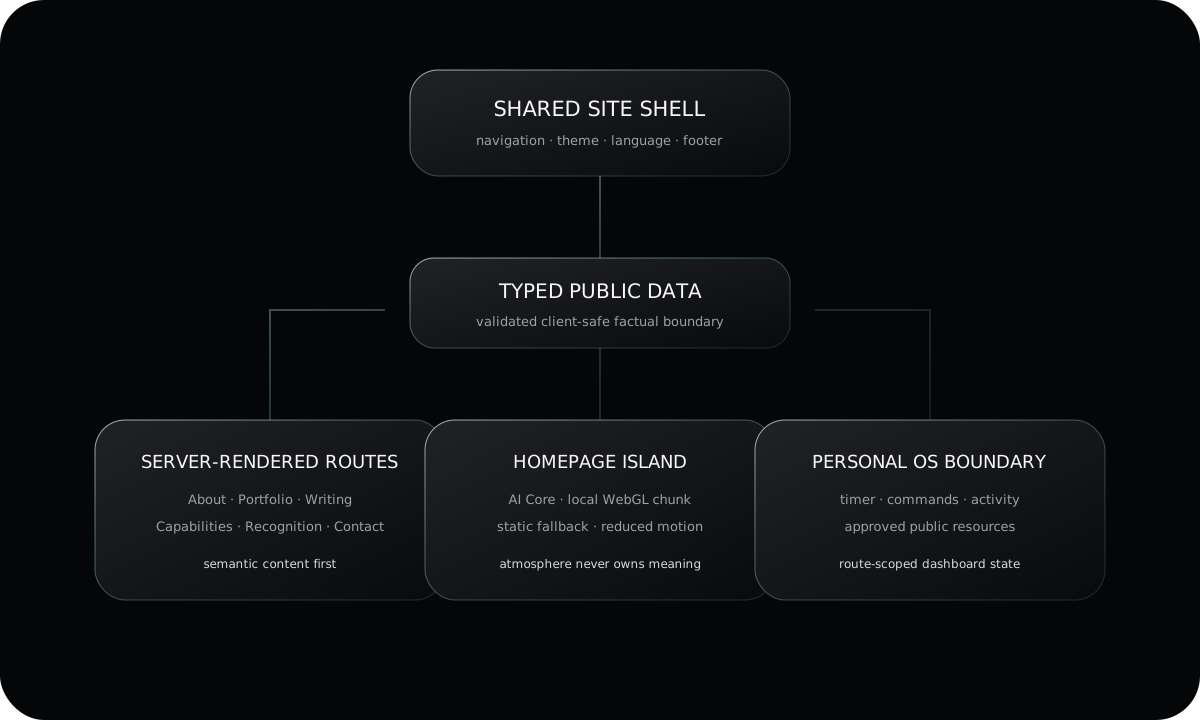
Next.js App Router route groups, shared server-rendered layouts, typed public data, common optical tokens, and narrow client islands for interaction.

01.1

Public evidence
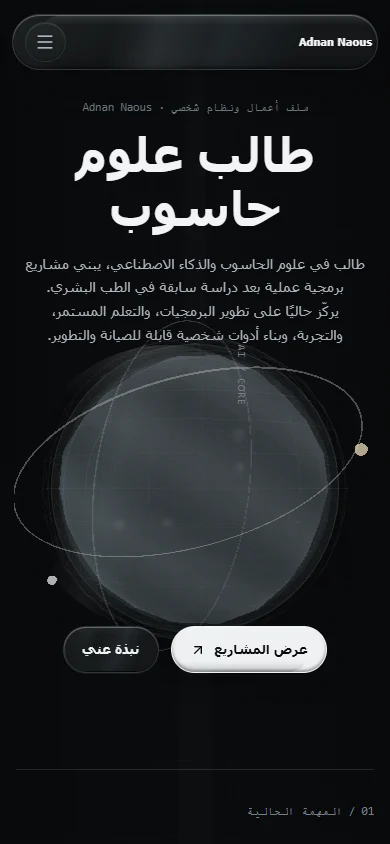
Current Arabic right-to-left mobile homepage with the optical AI Core and primary actions.
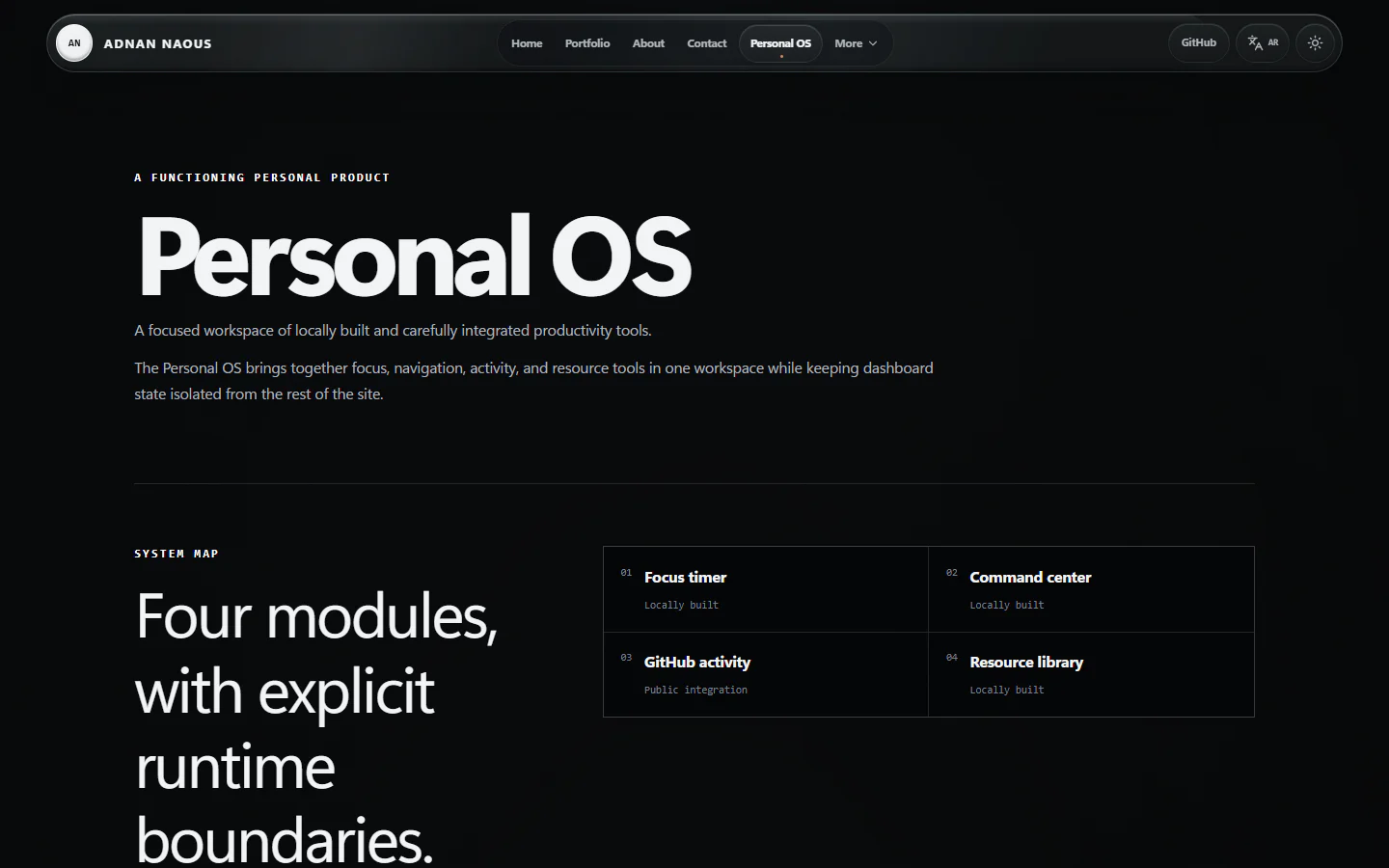
Current Personal OS route showing the system map, focus timer, and command center.
Architecture diagram showing the shared site shell, typed public data, server-rendered routes, route-local client features, and isolated Personal OS tools.

Technical decisions

  • Server Components own route content while client boundaries handle language, navigation, WebGL, and interactive tools.
  • Dashboard state is scoped to /tools instead of wrapping the whole site.
  • A validated publicData projection is the only approved client-safe factual source.

Design decisions

  • One shared optical shell gives every public route a consistent identity.
  • The AI Core is atmospheric; semantic content remains normal HTML.

Accessibility and privacy

  • Keyboard navigation, visible focus, reduced motion, and non-WebGL fallback are preserved.
  • Private review data and unpublished personal or academic fields remain outside public runtime content.

What works

  • English and Arabic presentation
  • Dark and light themes
  • Personal OS tools
  • Validated public content and static search records

What I learned

  • Treating public content as a typed boundary reduces factual drift.

Next direction

  • Continue refining the Personal OS while preserving route-level performance.

Challenges

  • Avoiding hydration differences while theme and motion preferences initialize.
  • Keeping legacy navigation and Three.js out of unrelated route bundles.
02

Adnan Naous Journey

A public repository for evidence-based learning notes, progress records, templates, and explicit authorship boundaries.

Build a durable, public record of learning without presenting generated or source-derived material as personal mastery.

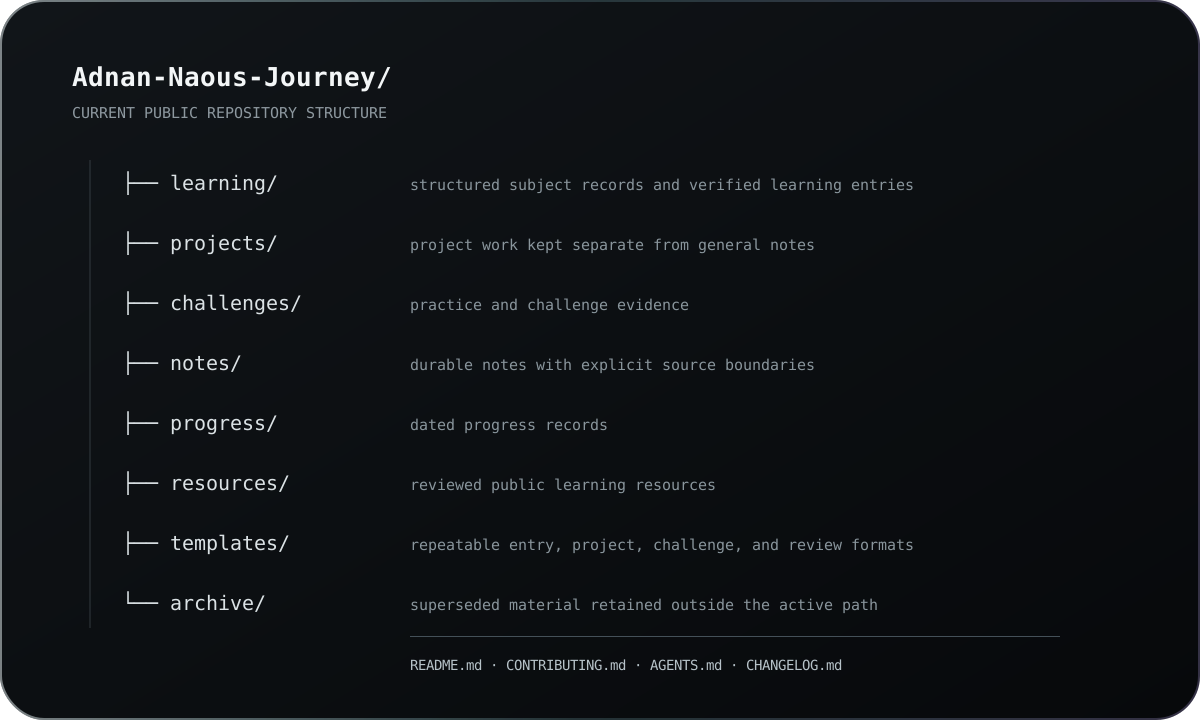
Repository tree showing the current learning, projects, challenges, notes, progress, resources, templates, and archive areas.

Problem

Learning progress can become difficult to verify when notes and evidence are scattered.

Current solution

A public repository that organizes learning notes, progress records, and supporting evidence.

Architecture

Canonical learning, project, challenge, note, resource, and progress areas governed by an evidence and authorship protocol.

02.1

Public evidence

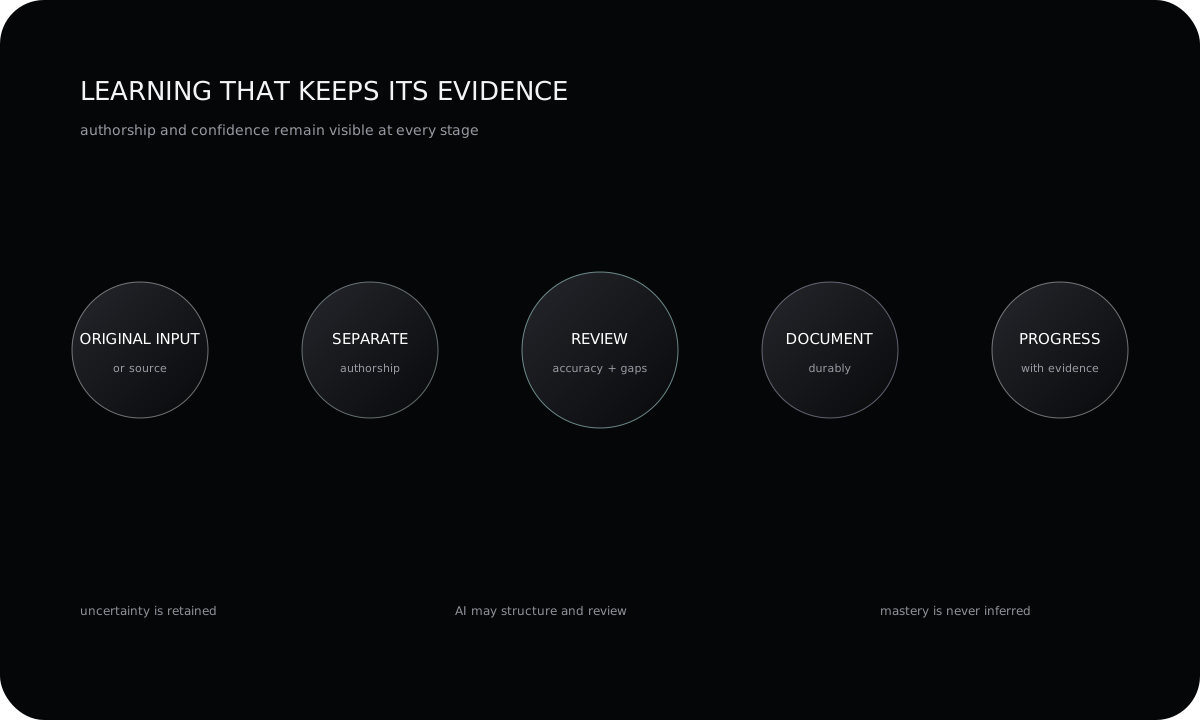
Workflow diagram showing source or original input, authorship separation, accuracy review, durable documentation, and evidence-based progress.

Technical decisions

  • Use repository-native Markdown, canonical folders, templates, and Git history as the durable system.
  • Require action-specific approval before commit, push, merge, or deployment.

Design decisions

  • Separate original input, faithful reconstruction, assessment, and academic explanation.
  • Show uncertainty and corrections as part of the learning record.

Accessibility and privacy

  • Public entries omit secrets, private conversations, and unnecessary personal identifiers.

What works

  • Structured learning records
  • Evidence-aware documentation

What I learned

  • Separating evidence from interpretation makes progress records more credible.

Next direction

  • Add verified learning records as work is completed.

Challenges

  • Preserving the learner's real contribution while still using AI for structure, translation, and review.
03

Ultimate Windows Maintenance

An in-progress modular PowerShell toolkit for inspectable, safety-first Windows 11 maintenance and reporting.

Make Windows 11 maintenance tasks more inspectable, modular, and explicit through PowerShell.

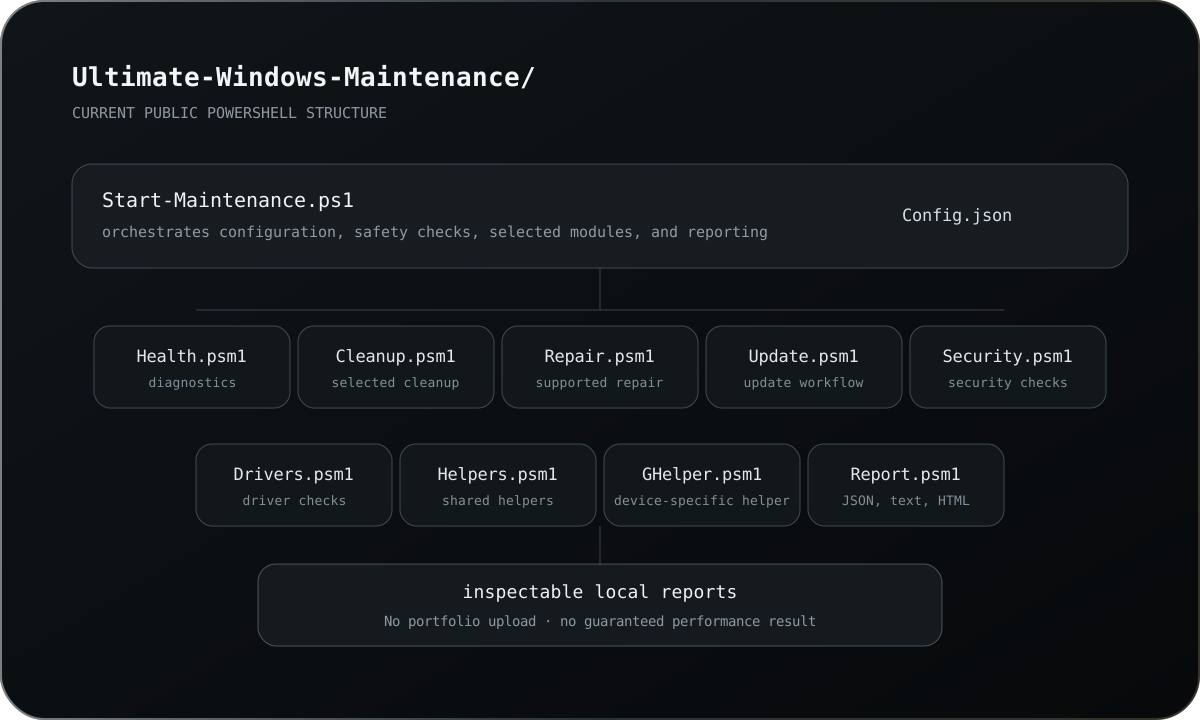
Repository map showing the PowerShell entry point, configuration, focused maintenance modules, and local report output.

Problem

Windows maintenance workflows can become risky when they are broad, opaque, or difficult to reverse.

Current solution

An in-progress PowerShell toolkit for safety-first Windows maintenance and troubleshooting.

Architecture

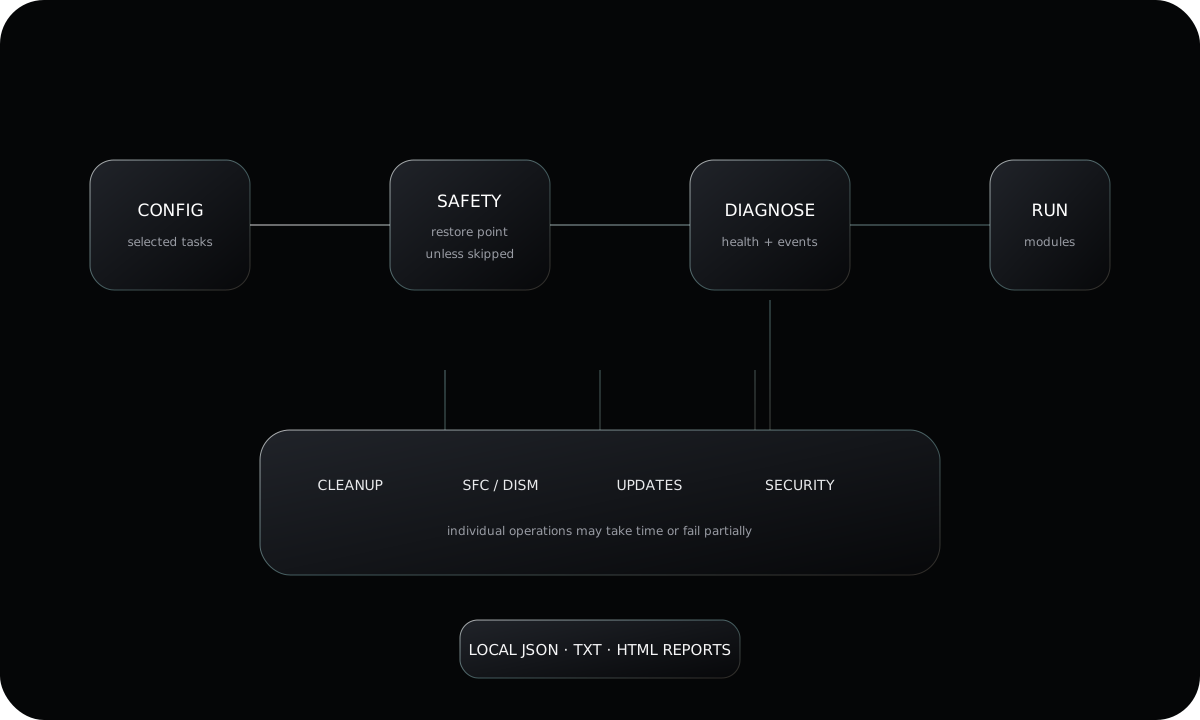
A configuration-driven orchestrator imports focused PowerShell modules, optionally creates a restore point, runs selected tasks, and exports reports.

03.1

Public evidence

System flow diagram showing configuration, safety checkpoint, diagnostics, selected maintenance modules, and generated reports.

Technical decisions

  • Use SFC and DISM for supported Windows image and system-file repair workflows.
  • Generate JSON, text, and HTML reports to make each run inspectable.

Design decisions

  • Keep health, cleanup, repair, update, security, driver, and reporting responsibilities in separate modules.
  • Create a system restore checkpoint by default unless the user explicitly skips it.

Accessibility and privacy

  • Reports remain local to the user's machine; the portfolio does not upload or process them.

What works

  • OS, disk, memory, and critical-event diagnostics
  • Temporary-file, cache, update-cache, and recycle-bin cleanup
  • SFC, DISM, Windows Update, package, Defender, and driver checks
  • JSON, text, and HTML maintenance reports

What I learned

  • Maintenance automation must preserve user control and report uncertainty.

Next direction

  • Expand verified diagnostics without broadening destructive behavior.

Challenges

  • Handling locked files, long-running system commands, and partial failures without hiding uncertainty.